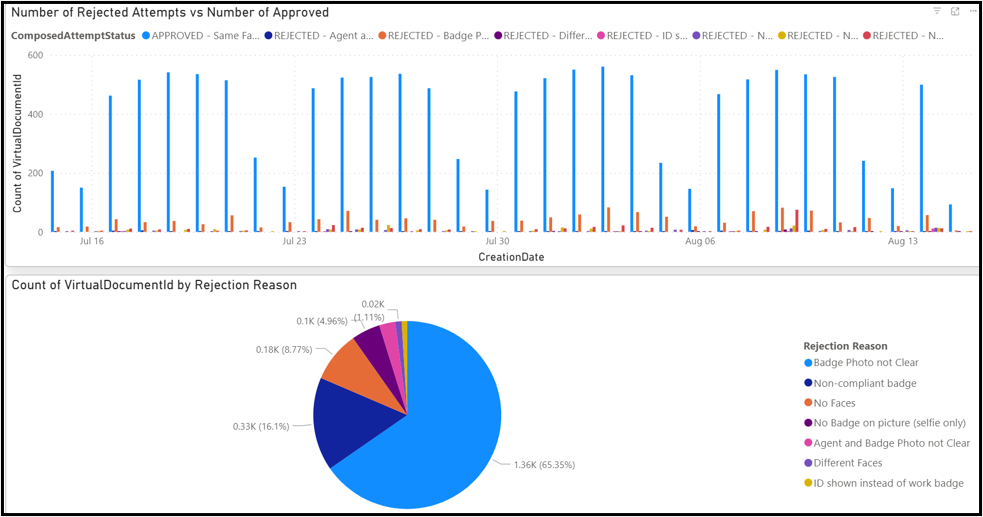
5) Insights
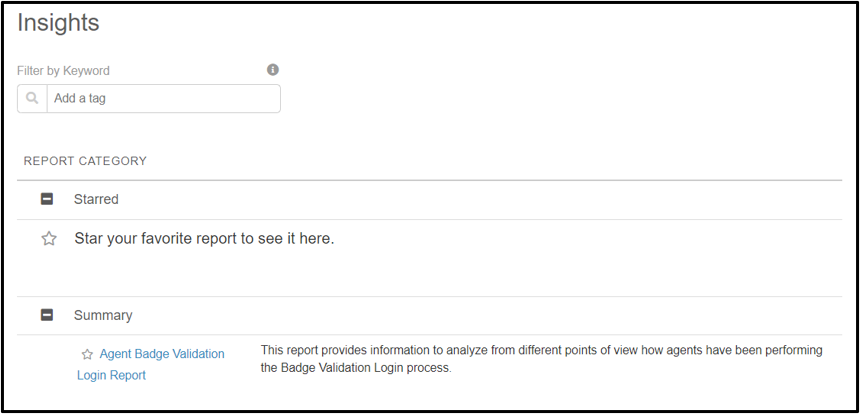
In this section, team managers will be able to find information related to the Agent Badge Validation Login Report. They will have to click on the name to generate the report.
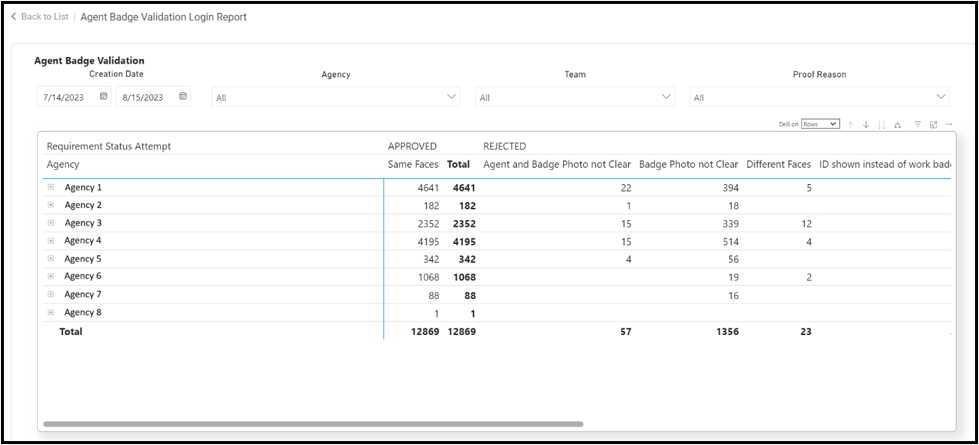
Once done, Vault will show the report with the approval and rejection rates.
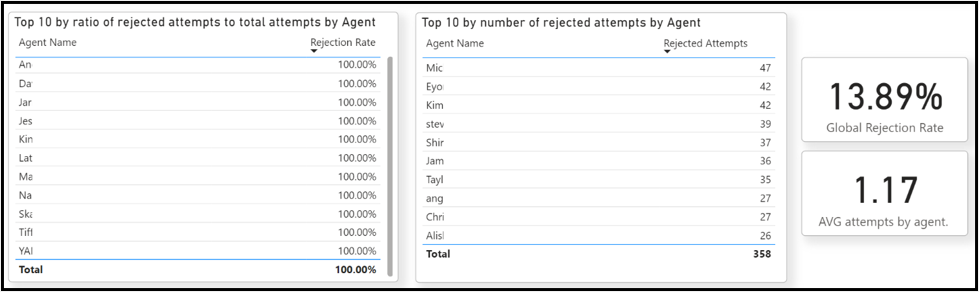
Team managers will be able to see different graphics that will help them understand the number of rejected attempts compared to those that have been approved.